

Last Updated: November 8, 2026
Quick Summary
To choose lipstick color online, first confirm your undertone in daylight using the vein and jewelry checks. Then pick a color family that suits it, cross-check swatches across several sources, and buy one everyday shade first to calibrate your screen.
- Check your undertone near a window in daylight, away from warm bulbs or filters.
- Blue or purple veins suggest cool undertones; green veins suggest warm undertones.
- Warm undertones suit coral, terracotta and warm nude shades.
- Cool undertones suit blue-toned reds, berries, raspberry and rose shades.
- Buy one everyday shade first, and wear it in daylight before ordering more.
Table of Contents
- What Lipstick Color Is Best for My Skin Tone?
- How to Choose Lipstick Color Online, Step by Step
- Using a Lipstick Shade Finder Online
- Reading Swatches and Pigment on Different Skin Tones
- Booking Your Shade Match With iBLipSilk
- Frequently Asked Questions
What Lipstick Color Is Best for My Skin Tone?
Choosing lipstick color online is harder than in a store, because you cannot test it on your own lips first. For a practical walkthrough, see how to buy natural hydrating lipstick online.
Lipstick color that suits your skin tone flatters your face and makes your lips look fuller and more even. A clashing shade can make you look tired or washed out, so narrow down your options before you open a shop page.
Finding Your Undertone at Home
Your undertone is the subtle color beneath your skin's surface, distinct from skin tone, which is how light or deep your skin looks. Undertone stays the same over time, making it the best guide for choosing a lip color.
Try these simple checks at home:
- Look at your veins. Blue or purple veins usually suggest a cool undertone. Green veins usually suggest a warm undertone.
- Check your jewelry. Silver tends to flatter cool undertones, while gold tends to flatter warm ones.
- Compare your wrist in daylight. If you cannot tell, you may have a neutral undertone.
Watch out: Lighting can fool you. Do these checks near a window in natural daylight, not under yellow bulbs or a phone's warm filter.
Choosing Shades for Warm, Cool and Neutral Undertones
Once you know your undertone, shade selection gets much easier. Use these starting points:
- Warm undertones: Look at coral, terracotta, orange-red and warm nude shades.
- Cool undertones: Look at blue-toned red, berry, raspberry and rose shades.
- Neutral undertones: You can usually wear both. Mauve, soft red and rosy brown often work well.
Keep your first order simple. Pick one everyday shade from your undertone group and save bolder colors for later.
How to Choose Lipstick Color Online, Step by Step
Most guides tell you to know your undertone and pick a shade. The harder part is deciding confidently from a screen, where lighting, calibration, and product photography distort what you see.
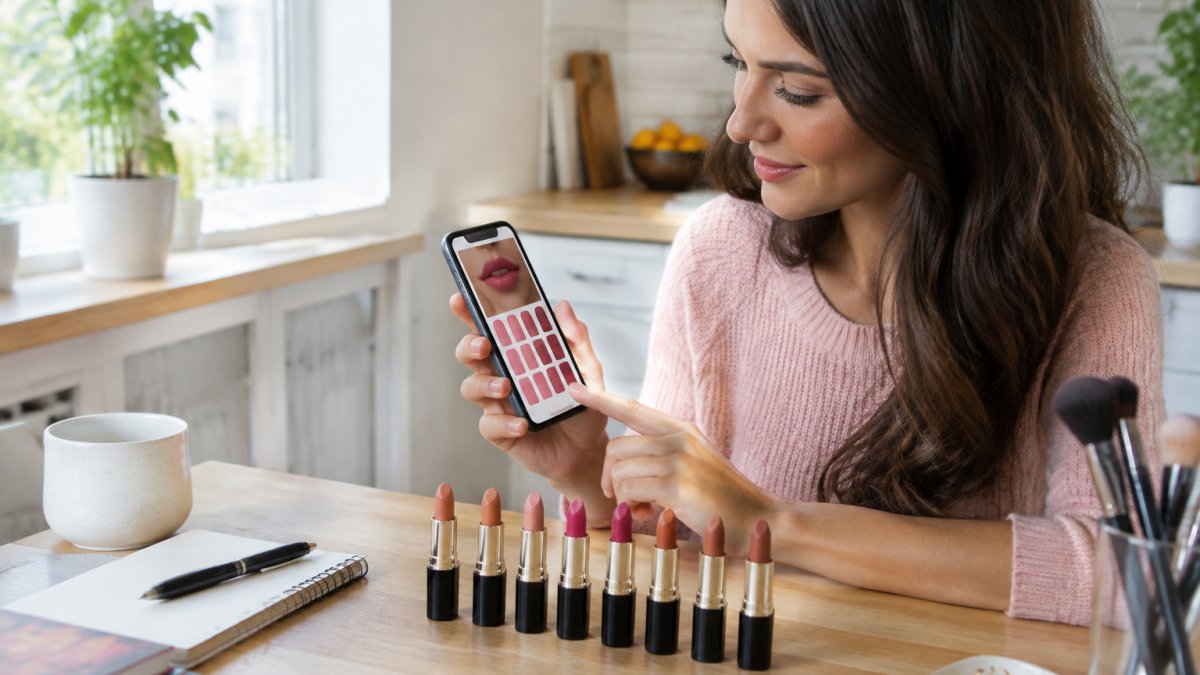
- Confirm your undertone in daylight. Use the vein and jewelry checks above, near a window, with night mode and color filters off. Write down warm, cool, or neutral; if you land between two, treat yourself as neutral.
- Note your skin tone and natural lip pigment. Both change how a shade reads. A sheer shade on deeply pigmented lips will not look like the same sheer shade on pale lips.
- Pick a color family, not a specific shade. Choose nude, pink, red, berry, or brown as your starting point.
- Decide the finish and coverage level. Sheer and satin formulas are more forgiving online because they blend with your natural lip color. Matte and liquid formulas are more predictable in color but less forgiving of lip texture.
- Calibrate your screen before judging swatches. Turn off night mode and blue-light filters, set brightness to medium, and view the page in neutral light. Compare the same swatch on a second device if you can.
- Cross-check the swatch against more than one source. Look at the brand's model swatch, any arm swatch, and customer photos. If all three agree, you have a reliable read; if they disagree, treat the shade as uncertain.
- Run a virtual try-on as a filter, not a verdict. Use it to rule out shades that clearly clash, then shorten your list rather than making the final call.
- Compare two or three finalists side by side. Put the swatches on the same screen at the same brightness and choose the shade closest to your everyday coloring.
- Check the purchase terms before you commit. Read the return or exchange policy, check whether samples or minis are available, and confirm the finish and coverage match what you expect.
- Buy one shade, not three. Order a single everyday shade first, wear it at home in daylight, and use that experience to calibrate your next online purchase.
Watch out: Do not let a dramatic swatch photo or a limited-time sale push you into a bold shade as your first online order. A nude, rosy, or soft red is a safer way to learn how your screen translates color to your lips.
A Simple Decision Rule
If your undertone, your lip pigment, and at least two swatch sources point to the same shade, buy it. If they conflict, choose the sheerer or more neutral option, because it will blend with your natural coloring and is less likely to arrive looking wrong. Save high-contrast, high-pigment shades for a second order.
Using a Lipstick Shade Finder Online
A shade finder can help you narrow down options quickly. Many shop sites offer quiz-style finders that ask about your undertone, favorite colors and preferred finish. Use the results as a shortlist, not a final answer.
Trying Shades with a Live Camera or Uploaded Photo
Some tools let you try shades with a live camera or an uploaded photo, giving you a rough idea of how a color looks on your lips.
Virtual try-on is only an estimate. Face shape, lip texture and camera quality all change the result. Use it to rule out colors that clearly do not work, then compare your shortlist with the product swatches.
Why Screen Settings and Lighting Change the Colour
Your screen can change how a lipstick looks before it even reaches you. Brightness, color temperature and night mode filters all shift the tones you see. A color that looks cool and pink on one device may look warm on another.
To check colors more fairly, turn off night mode, set brightness to medium and view swatches in daylight if you can. Compare two or three swatches side by side on the same screen.
Reading Swatches and Pigment on Different Skin Tones
A swatch is a photograph of color on a surface, not a preview of color on your lips. You can see the full-pigment formula of the IB Lip Silk Lip Gloss for yourself. The same shade can look pink on one model, brown on another, and almost clear on a third. To choose well online, read three things together: the swatch, the model's skin tone, and your own natural lip pigmentation.

Why the Same Shade Looks Different on Different People
Lip color is not applied to a blank canvas. Your natural lips have their own pigment, ranging from pale pink to deep brown-violet. A sheer or satin lipstick lets that tone show through, so the final color shifts toward your natural lip color, while a full-coverage matte sits on top and hides more of it.
Skin tone adds a second layer of variation. A warm terracotta can read orange on fair skin, brick on medium skin, and deep rust on rich skin. That is how reflected light and contrast work.
How to Find Representative Swatches
Most product pages show one hero swatch, often on a model with a medium complexion and studio lighting. That single image is the least reliable reference you have. Look for these instead:
- Multiple model swatches. Brands that show the same shade on light, medium, and deep skin tones give you the most honest picture. If only one model is shown, treat the swatch as a rough guide.
- Arm swatches next to lip swatches. An arm swatch shows the raw color; a lip swatch shows how it interacts with lip pigment. Compare both when available.
- Customer photos in reviews. Real-user images are imperfect but often show the shade in ordinary daylight, closer to how you will see it.
Watch out: A swatch photographed on dry, bare lips can look patchy and darker than the same shade on moisturized lips. Check whether the brand notes the lip condition in the image.
Judging Pigment and Opacity Before You Buy
Pigment strength determines how much your natural lip color will show through. Product descriptions rarely state this plainly, so read between the lines:
- Sheer, tinted, or balm-like formulas let natural lip tone show through. They are forgiving online because the result blends with your own color, but they deliver less color payoff.
- Satin and cream formulas sit in the middle. They usually cover most of the natural lip but still pick up some warmth from underneath.
- Matte and liquid lipstick formulas tend to be the most opaque. They hide natural lip pigment best, making them easier to predict from a swatch, but they show texture and dryness more clearly.
A highly pigmented shade can look intense in a swatch and still feel wearable in a thin layer. Build color gradually rather than applying a full coat at once, and check the result in daylight before deciding.
Matching Swatches to Your Own Lips
Before you compare shades, look at your bare lips in natural daylight. Note whether they are pale, rosy, pigmented, or deep, and whether they lean warm or cool. Then use that as your filter:
- If your lips are pale or lightly pigmented, sheer and satin shades will look close to the swatch. Deep mattes may look bolder than expected.
- If your lips are rosy or pink, warm nudes can pull peach, and cool pinks can pull brighter. Look for swatches on models with similar natural lip color.
- If your lips are deeply pigmented or brown, sheer shades will shift toward your natural tone. Look for brands that show swatches on deeper lips, and favor opaque formulas when you want the shade to read true.
Compare every swatch against your own undertone and lip pigment rather than relying on the shade name. Names like "rose" and "nude" are marketing labels, not color standards, and they vary widely between brands.
Booking Your Shade Match With iBLipSilk
If you still feel unsure after comparing swatches and using a shade finder, get in touch with the iBLipSilk team. We are happy to talk through your undertone, favorite colors and the finish you want, so you can choose with more confidence.
We recommend starting with one shade you can wear every day. iBLipSilk's hydrating lip colors are designed to add color while keeping your lips comfortable. Visit the iBLipSilk website to explore the collection.
Frequently Asked Questions
How can I choose lipstick color online without trying it on?
Start by identifying your undertone, then use a shade finder or virtual try-on tool to narrow options. Compare swatches on several skin tones rather than one photo, and check the product's shade description for finish and sheerness. Because screens vary, treat virtual previews as a guide, not a guarantee. Look for a return policy that covers colour mismatch so a wrong shade costs you little.
Are online lipstick shade finders accurate?
They are useful for narrowing choices but not exact. Camera and photo tools depend on lighting, white balance and your screen, which can shift the apparent shade. Use a finder to shortlist, then check real swatches and reviews from people with a similar complexion before you buy.
Can I use a photo to find the right lipstick shade?
Yes, a photo taken in natural daylight with no filter, and with your face evenly lit, gives a shade finder the most accurate read. Avoid warm indoor lamps and heavy makeup in the picture. Upload a clear, close image of your face, then compare the suggested shades against swatches before deciding.
How do I find my skin undertone for choosing lipstick?
Check the veins on the inside of your wrist in natural light. Blue or purple veins usually point to a cool undertone, green suggests warm, and a mix suggests neutral. Jewellery that suits you best, gold or silver, can also hint at your undertone. Use this as a starting point before comparing shades.
